NovaStar TB40 LED controller
The NovaStar TB40 is a mid-range multimedia controller from the Taurus Series, which combines Android-based media player and LED controller into a single integrated device.
While it is possible to use a separate Android box with Slideshow and connect it to the LED controller via HDMI cable, NovaStar TB40 can be also used with Slideshow directly, without any need for a separate box.
Installation of Slideshow
- Install ViPlex Express software and ADB tool on your computer
- Connect NovaStar TB40 to the computer via USB A-B cable
- Open ViPlex Express software on your computer
- Type
novasoftanywhere in the app - Open the newly shown
User Softwaretab - Connect to the device using username
admin, passwordSN2008@+(if you changed the password, enter the changed one) - Enable ADB and disable PlayService
- Pick the installation APK, check
Auto launch on startupand install app - Open command line on your computer and run command
adb shell. If you getadb.exe: device offlineerror, unplug the USB B cable from the LED controller, re-plug it and try the command again. If you get any error with the later commands, try runningadb rootcommand beforeadb shell. -
While in
adb shellcommand, enter the following commands, in order to allow permissions for SlideShow:pm grant sk.mimac.slideshow android.permission.READ_EXTERNAL_STORAGE; pm grant sk.mimac.slideshow android.permission.WRITE_EXTERNAL_STORAGE; appops set sk.mimac.slideshow MANAGE_EXTERNAL_STORAGE allow; -
Optionally, set other options while in
adb shellcommand as well:pm grant sk.mimac.slideshow android.permission.CAMERA; pm grant sk.mimac.slideshow android.permission.SYSTEM_ALERT_WINDOW; pm grant sk.mimac.slideshow android.permission.READ_LOGS; dpm set-device-owner sk.mimac.slideshow/.AppAdminReceiver; setprop persist.sys.timezone "Europe/Bratislava"; settings put global ntp_server pool.ntp.org; settings put global auto_time 1; settings put global package_verifier_user_consent -1; -
You can exit the
adb shellcommand by typingexit. - Run the app, for example using command
adb shell am start -n sk.mimac.slideshow/sk.mimac.slideshow.StartupActivityfrom the computer.
Slideshow can't be set as a launcher app, otherwise NovaStar's configuration won't work properly
Based on the feedback from the community, SlideShow can be installed on other Taurus series controllers from NovaStar, such as TB60 and TB20 Plus, with the same steps.
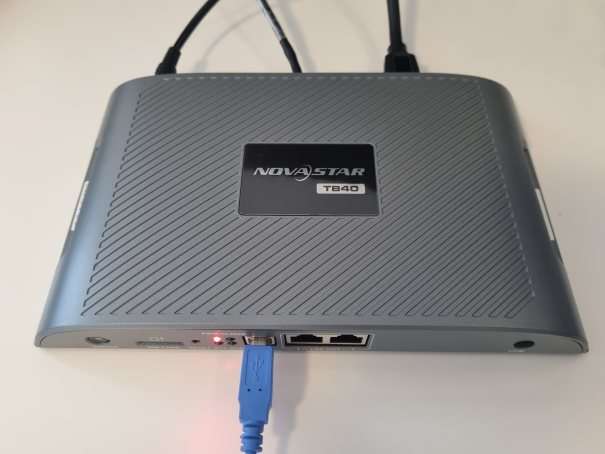
NovaStar TB40 LED controller
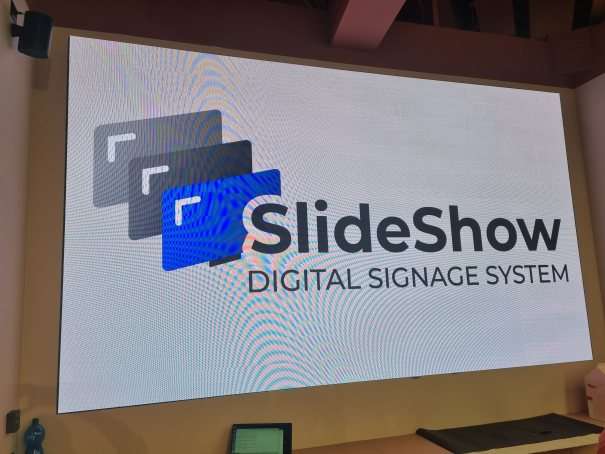
LED wall driven by SlideShow and TB40