Home Assistant
Home Assistant is a popular open-source home automation platform. With the community-made SlideShow Digital Signage integration, you can monitor and control your SlideShow players from Home Assistant, use them in automations, and show live Home Assistant data on your screens.
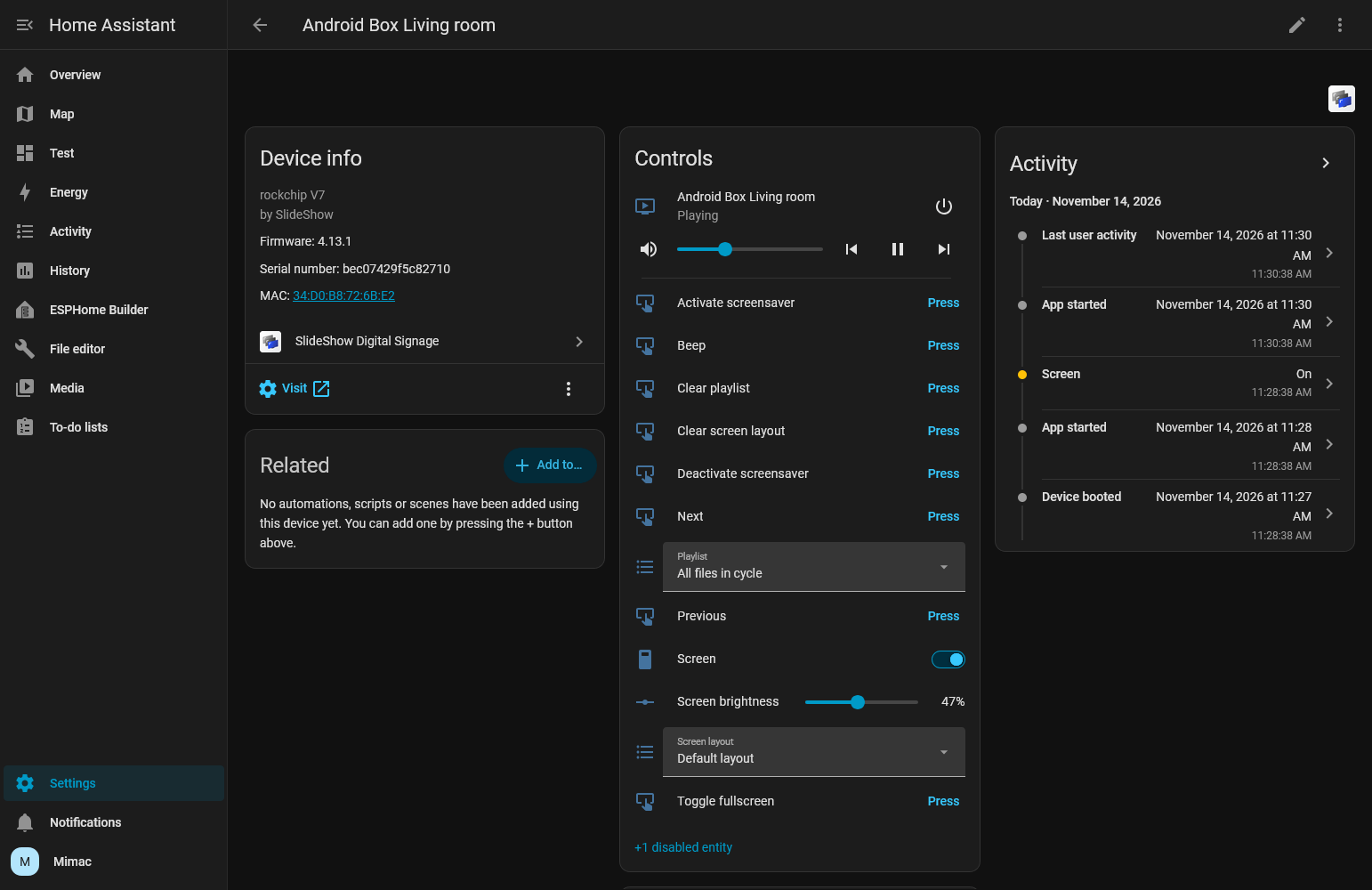
SlideShow player controlled from Home Assistant
About the integration
The integration talks directly to each player's REST API over your local network. No cloud account and no MQTT broker are needed. Each player appears in Home Assistant as one device, with entities and actions for:
- Playback: switch the playlist or screen layout, pause, resume, skip to the next or previous file, and set the volume.
- Live screenshot: a camera entity shows what is currently on the screen.
- Status: the current playlist, layout and file, free storage, app version, CPU temperature and more.
- Screen control: turn the screen on or off and set the brightness. This works fully on rooted devices and some signage displays. On other devices, turning the screen off switches to the screen-off layout.
- Pushing content: show a file, a video stream, a camera, or a block of HTML on the screen for a set time, for example a rendered Home Assistant template with live sensor values.
- Live dashboard: add a Home Assistant panel to the player as its own playlist.
- Device actions: reload the app, reboot the device, activate the screensaver, or start another Android app.
While the integration is encouraged and tested by the SlideShow team, it is open source and maintained by the community. Report problems and feature requests in its GitHub repository.
Requirements
- Home Assistant 2025.8 or newer
- SlideShow 4.11 or newer. Selecting a screen layout needs version 4.13.0, and starting other apps needs 4.12.8.
- The player's web interface must be reachable from Home Assistant.
- The web interface username and password
Installation
The integration is installed through HACS, the Home Assistant Community Store.
- Install HACS (Home Assistant Community Store) on your Home Assistant.
- Open HACS from the Home Assistant sidebar.
- Search for SlideShow Digital Signage, open it, and click Download.
- Restart Home Assistant. HACS only copies the files, and the running instance keeps the old code until it restarts.
- Add a new device, select brand SlideShow Digital Signage, fill in the connection details, and click Submit.